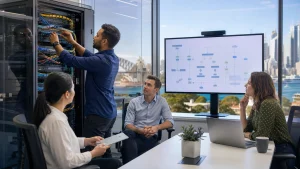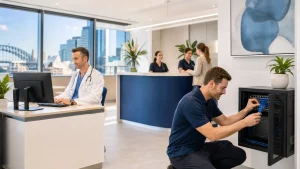

Endpoint security is how you protect every device your staff use for work. PCs in the office, laptops at home, phones on the go, desk phones and small-office devices all touch your business data, so they all need clear protection. If one weak device is compromised, the whole workday can be disrupted.
Across Sydney, many teams now mix days in the office with days at home or in shared spaces. That means your data moves across different networks, power can drop out during storm season, and you still need to meet local expectations around privacy and security. This article outlines what endpoint security in Sydney needs to cover, and how to put practical, realistic steps in place without slowing your staff down.
Secure Every Device, Protect Every Workday
Endpoint security is the protection of every device that connects to your business network or cloud services. Instead of focusing only on the office server or the main internet connection, treat each laptop, desktop, mobile and tablet as an access point that requires appropriate controls.
Sydney offices face specific risks. Hybrid work patterns mean staff move between home and office, while shared office spaces place many networks and devices side by side. On top of that, weather events can disrupt power and connectivity, and local standards still apply around protecting client and staff data.
When endpoint security is planned properly, it helps you:
- Reduce downtime from malware and device failures
- Avoid data loss when incidents occur
- Maintain client trust, even when staff work from multiple locations
The goal is straightforward, reliable protection that fits your workday and your IT budget, rather than complex tools that staff try to work around.
What Endpoint Security in Sydney Needs to Cover
An endpoint is any device that connects to your company network or cloud systems. Common examples include:
- PCs and laptops
- Mobile phones and tablets
- Servers and network storage
- VoIP handsets and some office devices such as printers
Attackers target these devices because they are widely used, often handled by busy staff, and frequently sit outside the office walls. A lost laptop, a phone on public Wi‑Fi, or an office PC with outdated software can provide an entry point.
Modern endpoint security usually includes several layers:
- Antivirus and anti‑malware, to block and remove known threats
- Firewalls, to control which traffic can enter or leave the device
- Email protection, to help stop phishing and malicious attachments
- Device encryption, so data remains protected if a laptop or phone is lost
- Secure remote access, so offsite staff can work safely from home or on the road
Each layer also ties directly to business outcomes. Fewer malware incidents mean fewer unexpected outages, while stronger protection of client data supports your reputation. Clear security controls can also support conversations with insurers or auditors, and standard tools and processes reduce surprise IT costs. When these layers work together, IT becomes more steady and predictable instead of a sequence of urgent issues.
Locking Down Devices Without Slowing Down Staff
Effective endpoint security should not make work harder. The priority is to configure devices in a standard, central way instead of handling each device individually.
Practical basics include:
- Standardised builds for PCs and laptops, with the same core applications and settings
- Keeping operating systems and key software up to date
- Centrally managed security tools, so settings follow staff wherever they work
Control and flexibility need to be balanced. Helpful measures are:
- Clear rules for who receives admin rights and under what conditions
- Approved software lists, so staff know what they can install
- Role‑based access, where staff only see the systems and data required for their job
User experience matters because if security feels difficult, people will look for workarounds. To keep security workable day to day, many teams adopt approaches such as single sign‑on so staff log in once to reach key tools, password rules that are strong yet manageable, and tools configured to reduce false alerts so staff are not flooded with warnings. When security is integrated into routine work, it protects your data with minimal disruption.
Policy, People, and Process: The Human Side of Endpoint Security
Technology alone is not enough. People still click links, share files and carry devices around Sydney on trains, in cafes and in shared offices. Clear policies provide structure and guidance, especially when staff are moving between locations and networks.
Effective endpoint use policies usually cover:
- When and how staff can use personal devices for work
- Safe use of public Wi‑Fi and mobile hotspots
- Where business data can be stored and shared
- What to do if a device is lost or something looks suspicious
Training works best when it is short, regular and relevant. For Sydney businesses, useful topics often include:
- Fake invoice and payment redirection emails
- Fake courier or delivery texts with malicious links
- Compromised cloud logins after password reuse
You can also embed security into daily processes by:
- Setting up simple, well‑known ways to report issues
- Running regular password and access reviews
- Having a clear joiner and leaver checklist for devices and accounts
- Making managers responsible for checking that their teams follow basic rules
This keeps security as part of normal work, not a one‑off project.
From Reactive Fixes to Proactive Monitoring
Many businesses still work in a reactive way, fixing devices only when something breaks. That often leads to slow PCs, unexpected outages and rushed work when a problem spreads.
Proactive endpoint monitoring takes a different approach by watching device health and security continuously, rather than waiting for staff to report problems. Managed tools can:
- Watch for unusual logins or sign‑in locations
- Flag unapproved applications or changes to security settings
- Check that backups are running and can be restored
- Apply patches and updates outside main business hours
In practice, this is managed through central dashboards, automatic alerts and regular health checks. For Sydney teams where staff might be in the CBD one day and at home in the suburbs the next, this approach supports:
- Fewer unexpected issues and outages
- More accurate planning for IT upgrades and changes
- Faster response when incidents occur
- Reliable support for hybrid and fully remote workers
Over time, this shifts IT from a recurring source of stress to a stable, predictable part of your business.
Planning Your Next Steps for Stronger Endpoint Security
A simple self‑check can help you see where you stand with endpoint security in Sydney:
- Do you have a current list of all business devices and who uses them?
- Are operating systems and key applications patched on a regular schedule?
- Are backups tested so you know they work when needed?
- Do you have written policies for device use and remote work?
- Are endpoints monitored centrally, or only checked when staff report issues?
Once you have a clearer view of your current position, a staged plan works well:
- Start with quick wins such as patching, antivirus and reliable backups
- Put basic policies and short training sessions in place
- Then consider managed services to handle ongoing monitoring, updates and incident response
At Simplicity I.T., we focus on proactive support, security and cloud services for businesses across Sydney and beyond, and we see how consistent, incremental improvements in endpoint security protect data and keep work moving. Strong endpoint security is not about blocking productivity; it is about giving your team safe, dependable tools so they can do their best work with confidence.
Protect Your Business With Proven Endpoint Security Today
If you are ready to tighten your cyber defences, Simplicity I.T. can help you design and implement robust endpoint security in Sydney tailored to your business. We work closely with your team to identify gaps, reduce risk and keep your devices and data protected. Talk to us about your current setup and we will recommend practical next steps that fit your budget and operations. To get started, simply contact us and book a time with our local team.