
Downtime Prevention Playbook for Sydney Businesses
Unplanned downtime affects operations quickly. When power drops, the internet slows, phones stop working, or cloud apps freeze, staff across Sydney notice it straight away. Sales pause, service delivery stalls and leaders start questioning what is happening while systems are unavailable.
Downtime does not have to be an unknown or something you simply accept. With a clear playbook that covers monitoring, incident response and disaster recovery, you can treat outages as a managed business risk. Instead of reacting from scratch each time something fails, your team knows what to watch, what to do and who owns each step.
Why Sydney Businesses Need a Downtime Playbook
Sydney has its own mix of risks. Power issues, local NBN problems, damaged cables, extreme weather, transport delays and supplier outages can all affect your core systems, even when your own office is fine. Cloud apps, voice services and remote access all depend on networks that you do not fully control.
The impact is broader than a few lost hours. Downtime can mean:
- Missed sales and bookings
- Delayed projects and deliveries
- Staff unable to progress their work
- Compliance and reporting problems
- Clients and partners losing confidence
There is a clear difference between fixing things only when they break and following a defined playbook. A playbook sets out:
- How you prevent and detect issues early
- Who makes which decisions
- How you update staff, customers and suppliers
- How you recover and then review what happened
When you can demonstrate that you are managing downtime risk, it supports insurance discussions, regulatory obligations and board reporting. It shows that technology is being run like any other key part of the business, not left to chance.
Monitoring as Your Early Warning System
Monitoring is your always-on early warning system. It is a mix of tools and processes that keep an eye on your servers, network, backups, website and cloud services, so you see the warning signs before users are disrupted.
Effective monitoring usually includes:
- Uptime checks for websites, apps and key services
- Performance baselines so you notice when things slow down
- Security alerts for suspicious logins or blocked attacks
- Backup status so you know they are running and passing checks
- Simple checks that staff rely on, like email and phone availability
For Sydney businesses that trade across time zones or rely on cloud tools that clients use at all hours, extended monitoring is especially helpful. If something fails outside normal office time, you want it resolved or at least understood before staff log in for the day.
With well-planned monitoring, you gain:
- Fewer unexpected outages
- Faster detection of real problems
- Less time spent figuring out what failed
- The opportunity to fix issues in quieter periods, not during peak trading
Experienced business IT support in Sydney will also use monitoring data to plan ahead. Slow trends, storage warnings or recurring error patterns become prompts for scheduled maintenance, capacity upgrades or security improvements, reducing the likelihood of sudden outages later.
Incident Response That Keeps People Working
An incident is any technology issue that affects how your business operates. It might be a full outage, very slow systems, phones dropping calls or a single cloud app not loading. If staff or customers are blocked, it is an incident.
A practical incident response plan covers a few core foundations:
- Ownership and escalation: who takes charge first, and when the issue is passed to senior staff or your external IT partner
- Simple severity levels: for example, minor, major and critical, each with clear response targets
- Communication templates: ready-made messages for staff, clients and key suppliers
A typical incident lifecycle looks like this:
- Detect: Monitoring or users report a problem.
- Triage: Decide how serious it is and who needs to be involved.
- Contain: Stop things getting worse, for example by blocking risky access or switching to a backup link.
- Fix: Apply the technical repair, patch, failover or workaround.
- Review: Document what happened and decide how to prevent a repeat.
Clear communication is just as important as the technical fix. Regular, honest updates reduce uncertainty and help people stay productive. When staff know what is affected, what still works and when to expect the next update, they can plan their day more effectively.
A trusted IT partner will log each incident, including cause, impact and time to restore. Over time, these reviews highlight weak points, guide upgrades and help justify changes in systems, processes or training.
Disaster Recovery That Fits Your Business
Disaster recovery, often called DR, is your plan for getting systems and data back after a major event. That could be ransomware, hardware failure, loss of a key site, or a combination of issues that affect more than one system at once.
A workable DR plan includes:
- A prioritised systems list, so you know what must come back first to keep operating
- Recovery Time Objective (RTO), which is how quickly each system needs to be restored
- Recovery Point Objective (RPO), which is how much data you can afford to lose for each system
- Clear roles, contact lists and who can approve key decisions
You do not need complex projects to get started. Practical options can include:
- Reliable offsite or cloud backups with checks and alerts
- Redundant internet, such as a backup link that takes over if the main one fails
- VoIP phone failover to mobiles or another site
- Documented and tested recovery steps for your key systems
Testing is where many plans fall short. DR exercises give you proof that backups restore, that staff know what to do and that actual recovery times align with what the business expects. Even a short, focused test can reveal gaps well before a real incident.
The outcome is steadier operations, more confidence from clients and a stronger position when you talk to insurers or regulators about risk management.
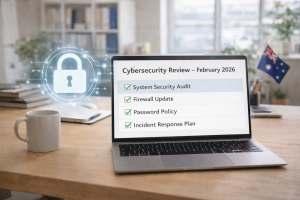
Cybersecurity as a Core Part of Downtime Prevention
Many significant outages now come from cybersecurity incidents, such as ransomware, account compromise or data theft. When systems are locked or data is at risk, normal work often has to pause while you contain and resolve the issue.
Good security hygiene reduces both the likelihood and the impact of these events. Key elements include:
- Regular patching so known vulnerabilities are closed
- Strong access control so only the right people see the right data
- Multi-factor authentication for key systems
- Secure remote access for staff working away from the office
- Email filtering to reduce malicious links and attachments
Monitoring, incident response and DR all connect directly with security:
- Monitoring helps spot unusual behaviour and blocked attacks
- Incident response sets out how to contain, investigate and communicate during a security event
- DR ensures you can restore clean systems and trusted data afterwards
Working with experienced business IT support in Sydney can help you align these security measures with recognised standards and with what your budget and risk profile allow.
Making Your Downtime Playbook Part of Daily Business
Turning plans into practice works best with a clear, simple roadmap:
- Step 1: Assess your current risks, backup status and recent incident history.
- Step 2: Document what you expect from monitoring, incident response and DR.
- Step 3: Close the gaps with agreed tools, clear policies and communication plans.
- Step 4: Train staff on how to report issues and who to contact.
- Step 5: Review the playbook at least once a year and after any major incident.
Good governance keeps the playbook active. Regular reporting, clear ownership and board level visibility shift IT from a reactive cost to a predictable, managed function that supports growth.
A managed IT partner such as Simplicity IT can operate as your dedicated IT function, especially if you are based in or around Sydney. We help design, maintain and run the playbook, handle monitoring, support incidents, run DR tests and recommend steady improvements so your technology consistently supports your business goals.
Streamline Your Technology And Keep Your Team Productive
If you are ready to reduce IT headaches and keep your systems running smoothly, we are here to help. At Simplicity I.T., we provide tailored business IT support in Sydney that fits the way your team actually works. Tell us what you need and we will map out practical next steps, without the jargon. To get started, simply contact us and we will be in touch promptly.